Tasks
Capture a task in one line, see what is yours by when it is due, and hand work to teammates.
Tasks holds the work assigned to you, the work you handed out and everyone's open items.
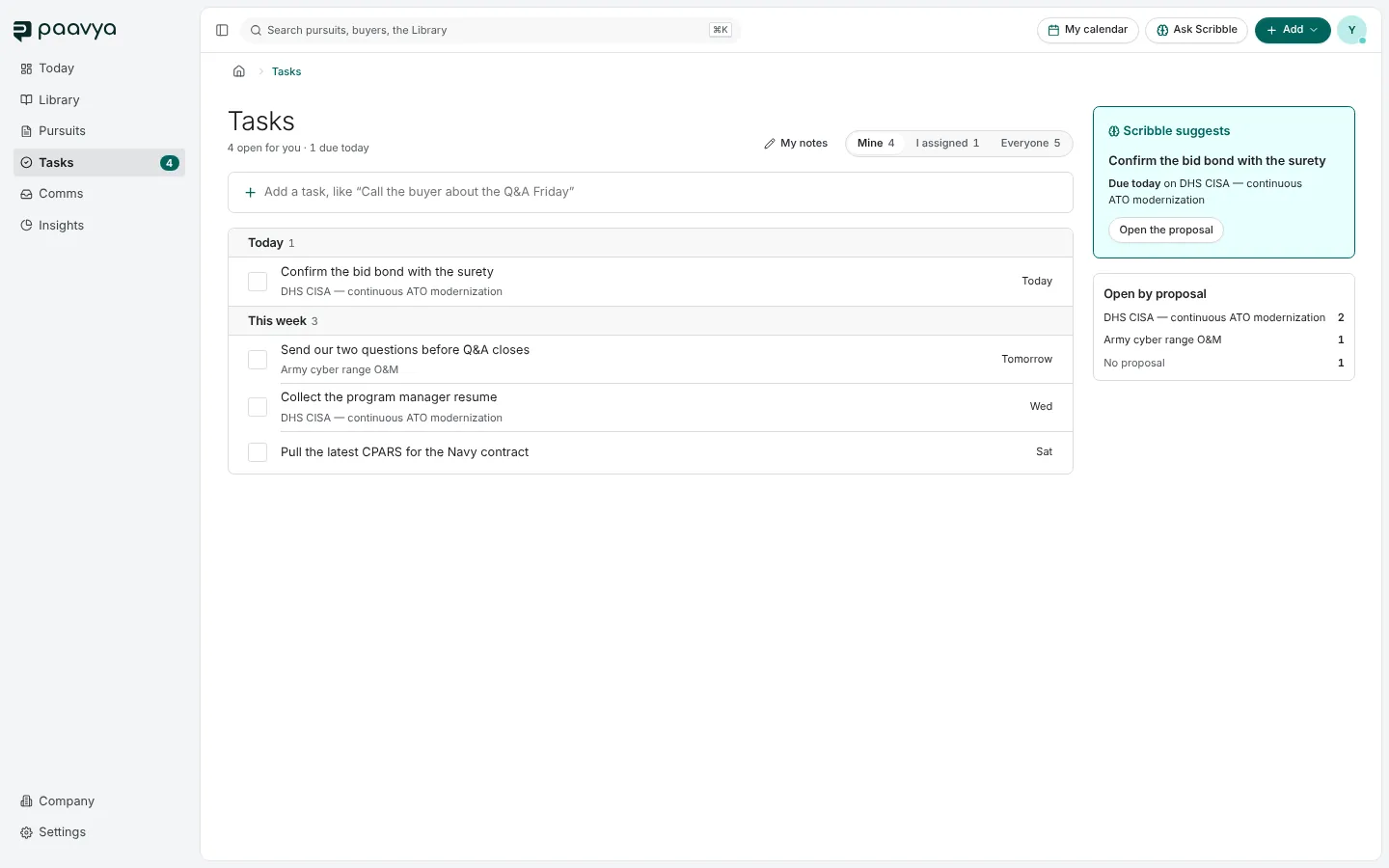
Adding a task
Type it in the line at the top, like "Call the buyer about the Q&A Friday", and press Enter. A date in the line becomes the due date. Open the task to set an assignee, a priority or the pursuit it belongs to.
Tasks also arrive on their own: when a plan gives you a dated section, "Draft: <section>" becomes your task with the date.
The three views
- Mine: assigned to you.
- I assigned: work you handed to someone else.
- Everyone: every open task in the workspace.
Each is grouped by when it is due: overdue, today, this week, later. Tick a task to finish it; the words are struck through as the tick draws. At the right, Scribble suggests what to do first, and Open by proposal counts tasks per pursuit. My notes opens your private notes.
A task's page
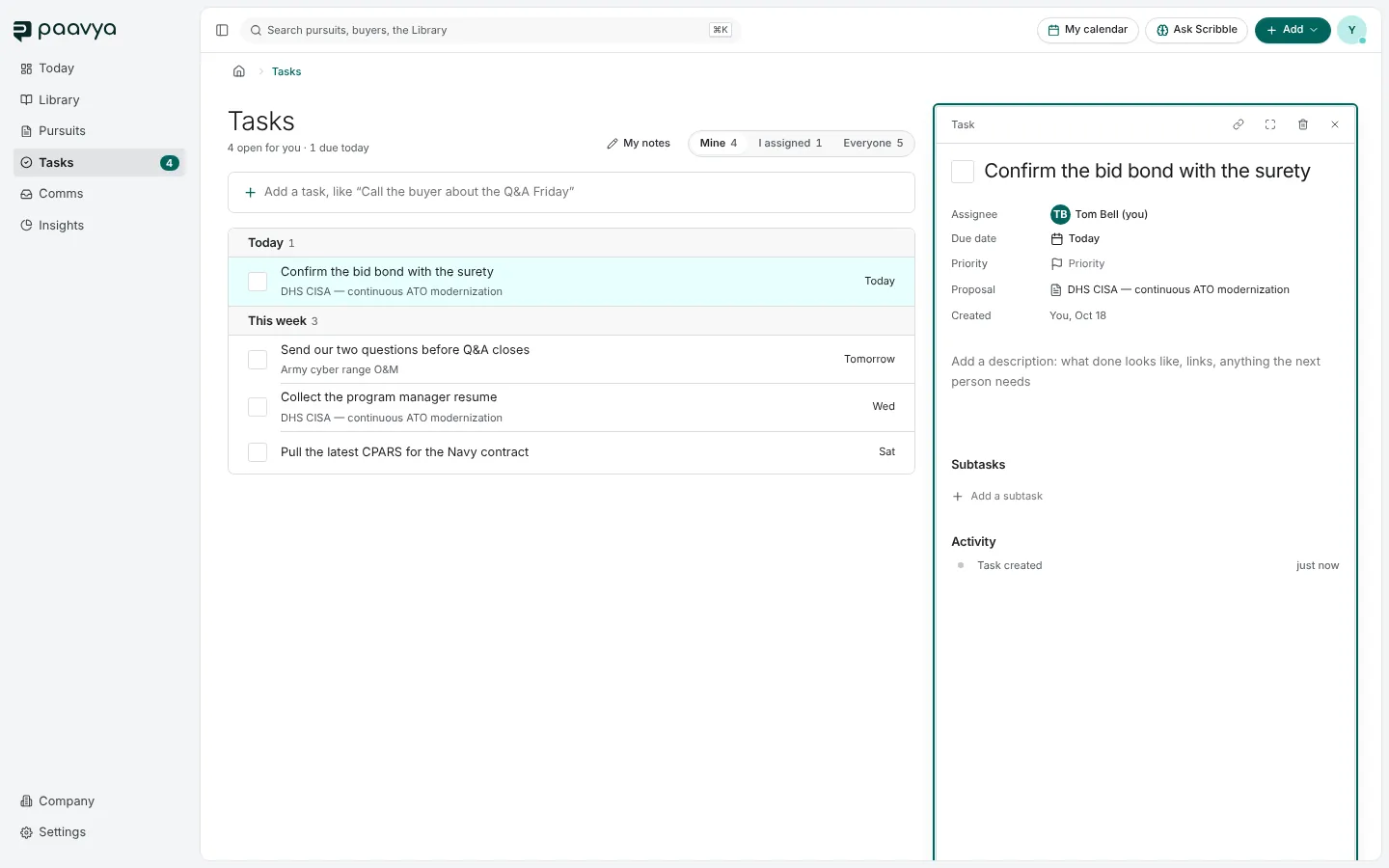
Click a task to open it beside the list. Every property is edited where it is shown: assignee, due date, priority, the pursuit it belongs to and a description. Add subtasks, and see its activity. The icons at the top copy a link, open it as a full page or delete it.
Pictures are from Paavya's demo workspace, so names, bids and figures are illustrative. Something here does not match what you see? Tell us, or ask Scribble in the app.