Ask Scribble
Scribble is Paavya's assistant. Where to ask it, what it can see, what it will do for you and what it always leaves to a person.
Scribble is the assistant inside Paavya. It reads your pursuits, your Library and your team's work, and it answers with what your records actually say. When it does not know something, it says so rather than guessing.
Three places to ask
On Today. The bar under the greeting. A typed question opens as a new chat in Comms; a starter from the plus menu answers in place. See Today.
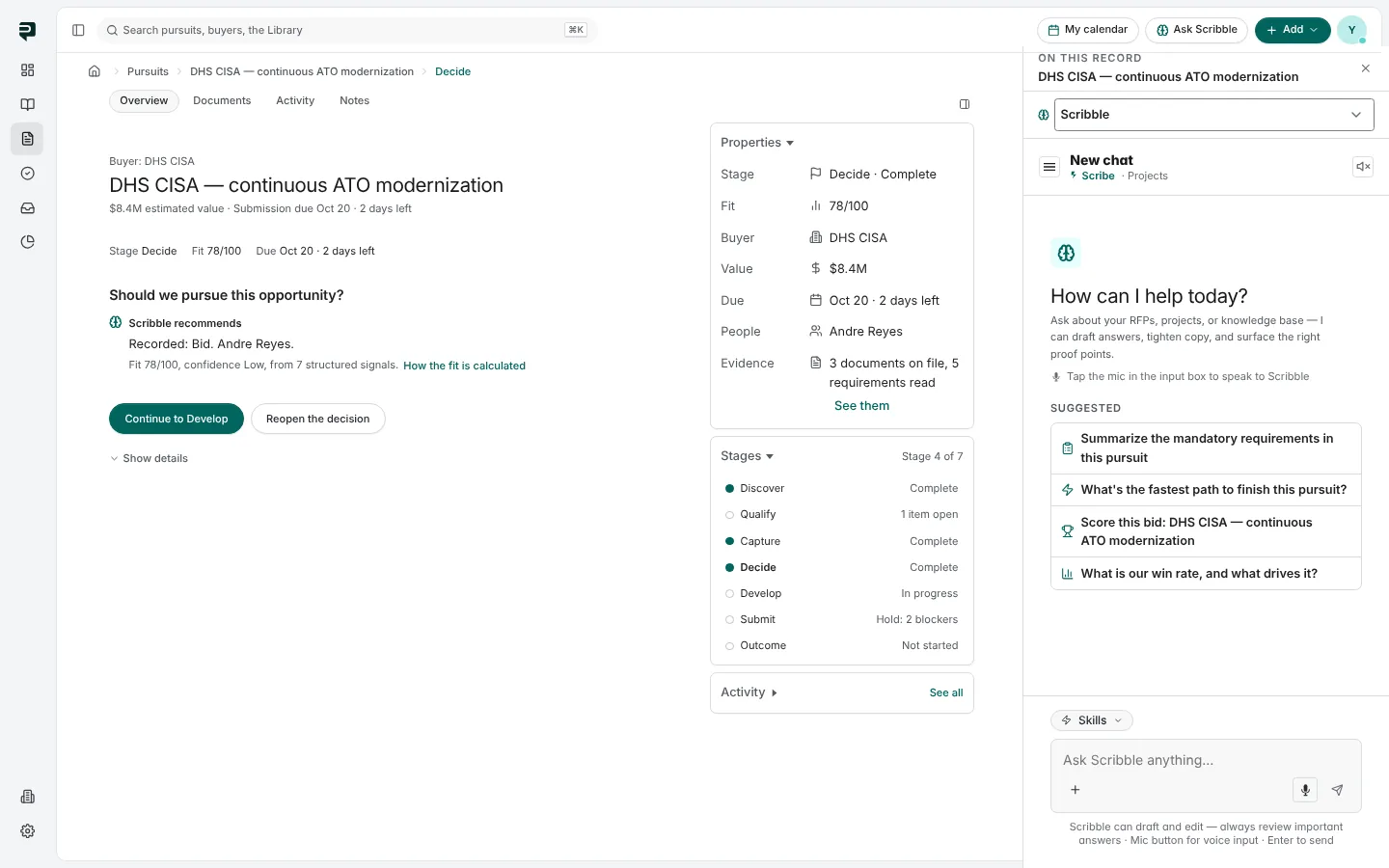
Beside any page. Ask Scribble in the top bar opens a panel at the right of whatever you are looking at. On a pursuit it says On this record and names the bid, so "what is blocking this?" means this bid.
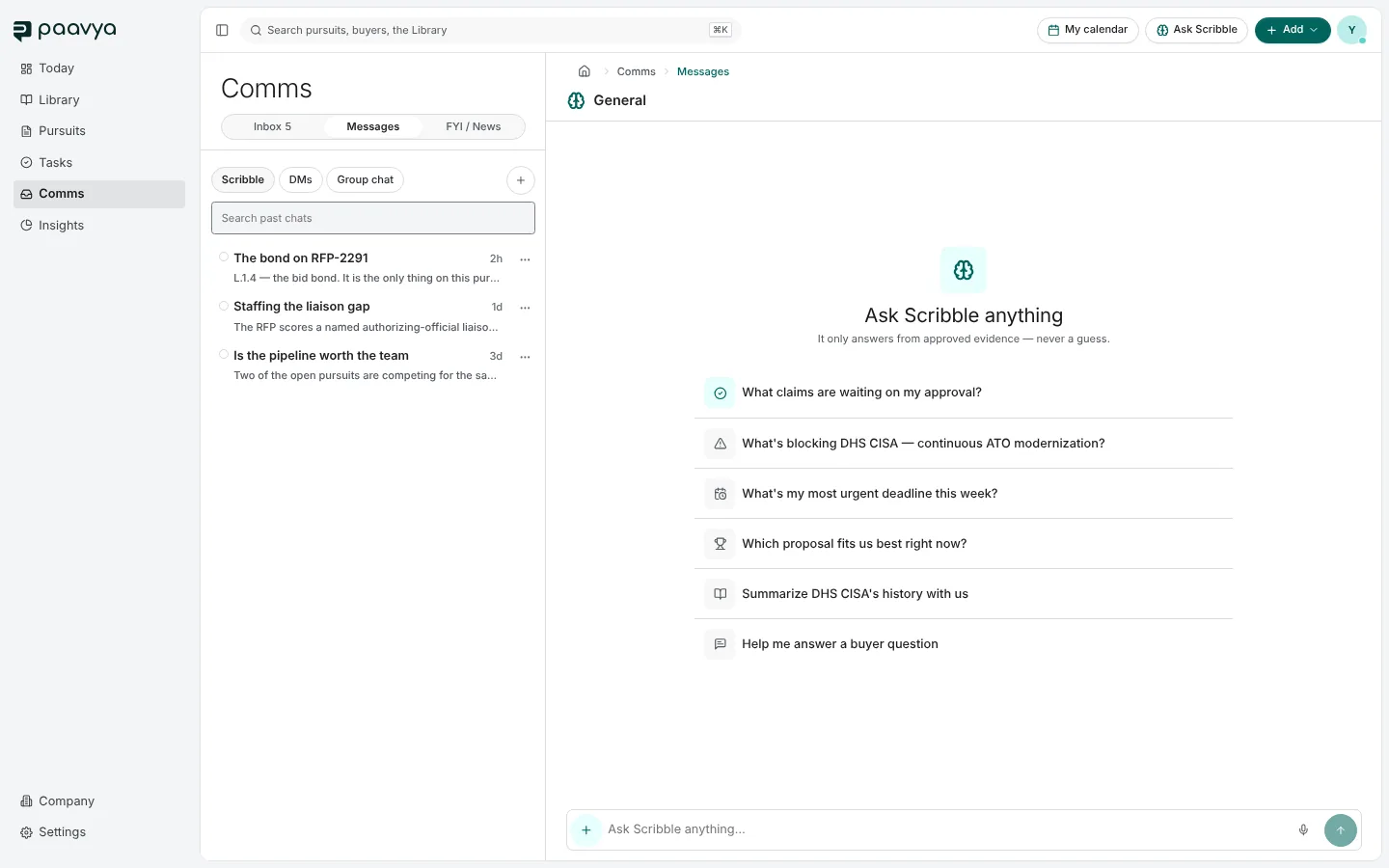
In Comms. Comms › Messages › Scribble is the full-page conversation, with your past chats listed on the left so you can return to one. It opens with suggested questions drawn from your workspace.
What to ask
Scribble can answer about one bid or the whole account:
- "What's blocking DHS CISA?" or "Where does this bid stand?"
- "Which of my bids is most at risk, and why?"
- "Who still owes input on the Army response?"
- "Do we have an approved answer for disaster recovery?"
- "What did we learn from the bids we lost this year?"
It can also explain how buying works, such as what a set-aside means or how a Section L instruction is usually read. It cites where that comes from and never treats general knowledge as evidence about your company.
What Scribble does for you
Scribble can act, not only answer. Every action falls into one of three kinds:
- It just does it. Safe, internal and easy to undo, like drafting a section or reading coverage.
- It asks first. Before anything that changes shared work, such as creating a task for a teammate or staffing a plan, a sheet shows exactly what will happen, with the real names, dates and values. Nothing runs until you say yes.
- It hands it to you. Submitting a response, approving a section and committing to a bid always stay with a person. Scribble prepares them and tells you what is left; it cannot complete them.
When Scribble writes something it checks that the change stuck before it says it is done. If it could not confirm a change, it tells you that instead. You can ask it to undo what it did; an undo is recorded as a new action, not an erasure.
Who decides what Scribble may do
An administrator can tighten what Scribble may do for each role in Settings › Access and invites, under what Scribble may do. Anything can be made to ask first, or handed to people entirely. The three hand-offs above can never be loosened.
Pictures are from Paavya's demo workspace, so names, bids and figures are illustrative. Something here does not match what you see? Tell us, or ask Scribble in the app.