The Library Card Scan
Check a draft against your Library, so nothing expired, unapproved or contradicted reaches a buyer.
The Library Card Scan checks writing against what your Library knows. It runs in three places:
- In the drafting workspace, for the open section, marking each claim inline as you write. See The drafting workspace.
- At Submit, across the whole response, before approval. See Submit.
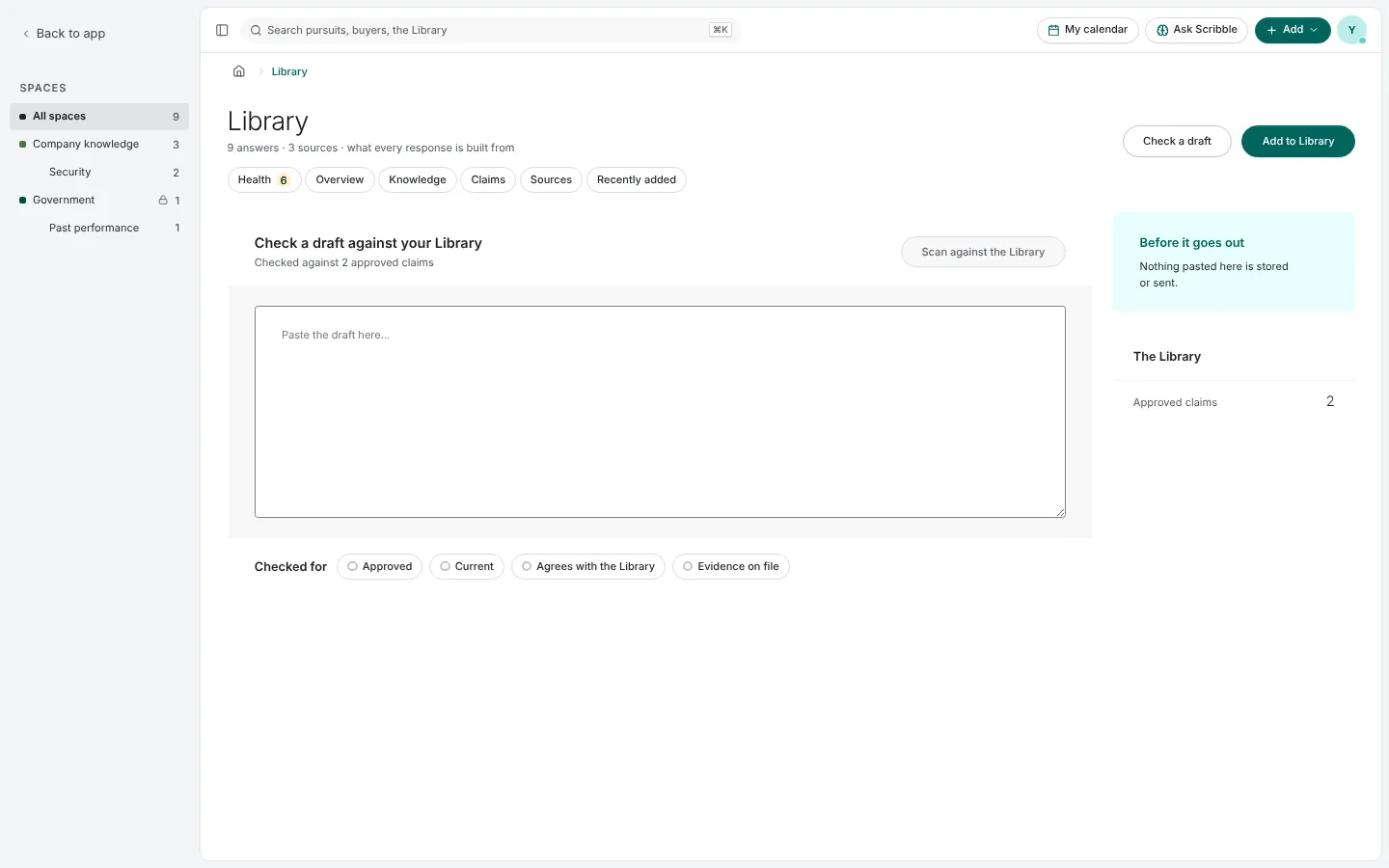
- On its own, from Library › Check a draft, for any text you paste in.
What it checks
Every claim the text makes is checked for four things:
| Check | It asks |
|---|---|
| Approved | Was this answer approved, and is this the approved version? |
| Current | Is the claim and its evidence still in date? |
| Agrees with the Library | Does the figure match what the Library says now? |
| Evidence on file | Is there an approved passage in a document of record behind it? |
What it finds
A finding is required when an expired or contradicted claim, or a figure that differs from the Library, sits in a section answering a pass/fail requirement. Everything else is advisory. A figure with nothing behind it is marked in the text so you can find it, without adding to the list.
Each finding quotes what it saw and offers its door: open the answer in the Library, or open the repair.
Pictures are from Paavya's demo workspace, so names, bids and figures are illustrative. Something here does not match what you see? Tell us, or ask Scribble in the app.