Inviting your team and setting roles
Invite teammates with a role each, change what people can do, and lend a permission for a while.
Inviting people
Every Invite button in Paavya opens the same dialog, whether it is on Company, in Settings or on the welcome screen.
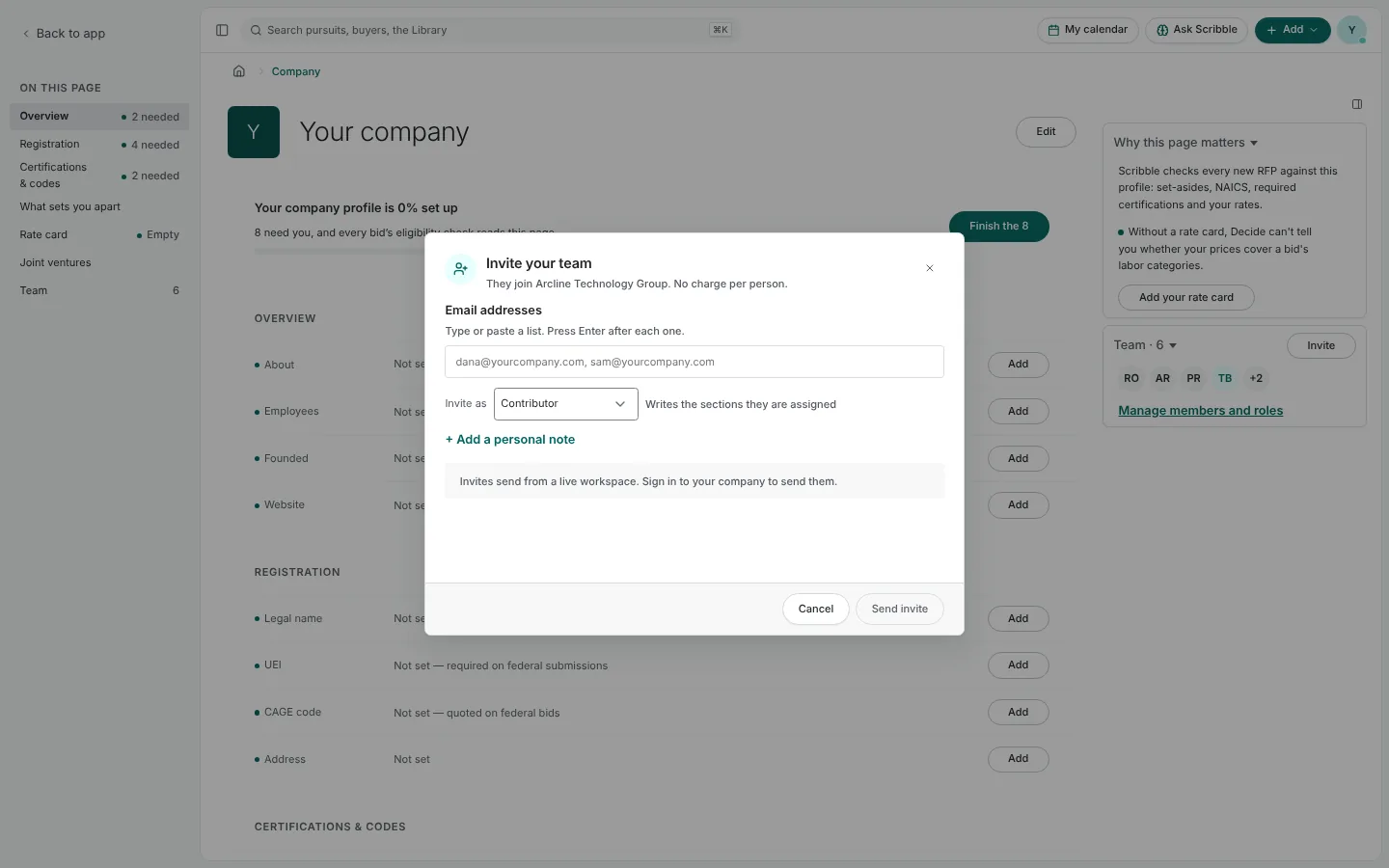
- Type or paste email addresses. Press Enter after each one.
- Choose what to invite them as. Each person can have their own role.
- Add a personal note if you like, then Send invite.
Each address reports its own result. If an invite was saved but the email could not be sent, the dialog shows the invite code so you can pass it on yourself. An invite lasts seven days; resending renews it. There is no charge per person.
Members and roles
Settings › Access and invites lists everyone in the workspace with their role, plus pending invitations.
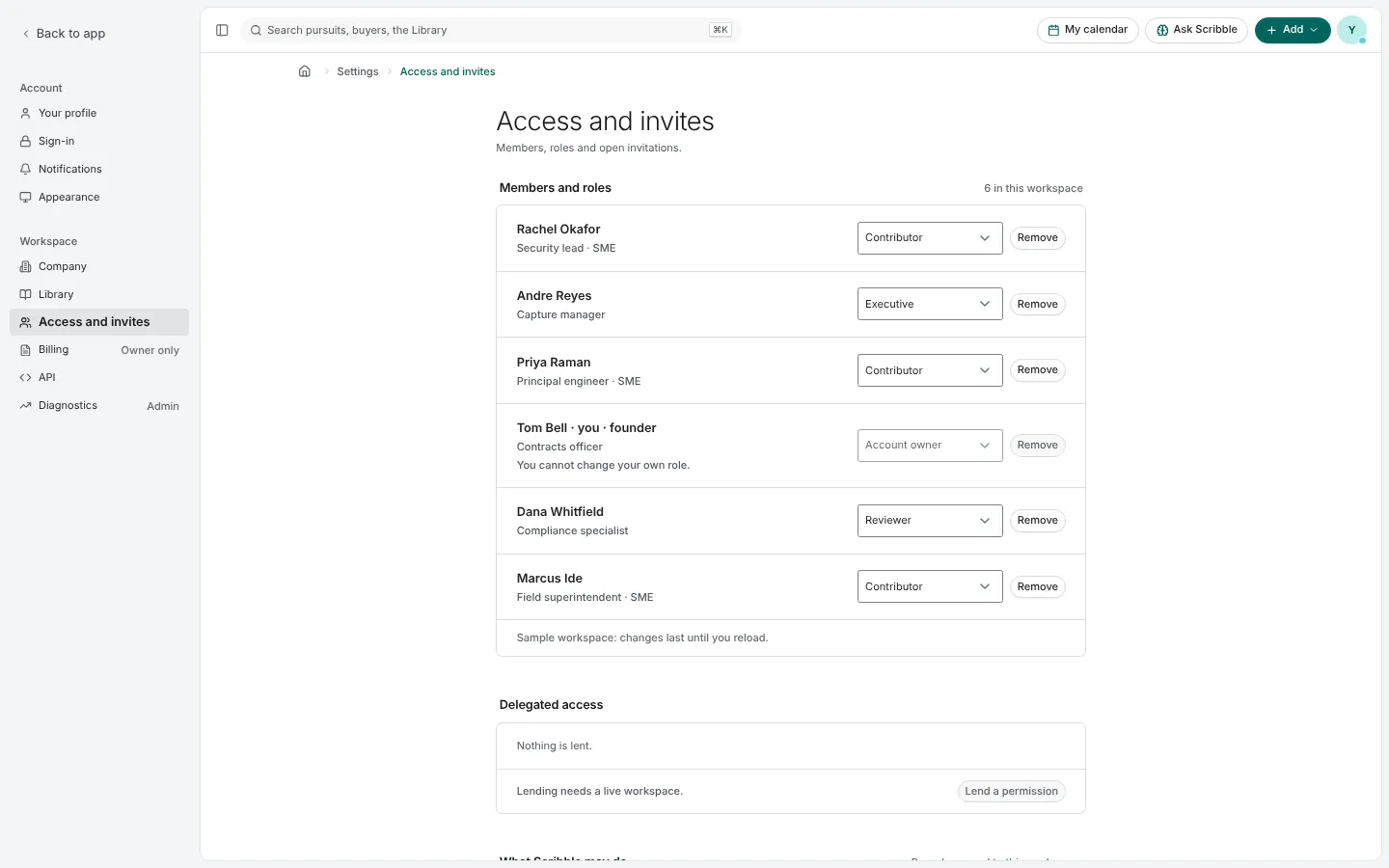
Roles decide what a person can do, such as create pursuits, approve Library entries or submit. Roles are changed by the account owner and executives. Nobody can change their own role, and the account owner's role cannot be changed.
Lending a permission
Delegated access lets someone lend a permission they hold to a teammate, for one pursuit or the whole workspace, until a date. A loan can never be wider than what the lender holds, and it ends if the lender loses the permission. Administration, billing and similar powers cannot be lent.
Sharing one pursuit
To bring someone onto a single bid, use Share in the pursuit's row menu. Anyone can send a link. The pursuit's manager or an administrator can give a seat on the team, either standing or for a set time up to 90 days.
Pictures are from Paavya's demo workspace, so names, bids and figures are illustrative. Something here does not match what you see? Tell us, or ask Scribble in the app.