The Library and its Health
What the Library holds, how it is organized into spaces, and the Health queue that tells you what to fix first.
The Library is your company's knowledge, ready to reuse: approved answers, the claims inside them (a figure, a certification, a date) and the documents that prove those claims. Every answer traces to its claims, and every claim to a passage in a document of record.
Spaces
When you open the Library, its spaces take the rail: All spaces, then each space and its categories, such as Company knowledge, Security, Government and Past performance. A space can be restricted to certain people. A lock marks it, and anyone outside it cannot see what it holds, or even its name. Back to app returns to the main rail.
The sections
Across the top: Health · Overview · Knowledge · Claims · Sources · Recently added. Check a draft opens the Library Card Scan; Add to Library opens the import panel for files, a folder, a spreadsheet or Google Drive.
Health
The Library opens on Health: what needs a person, most urgent first.
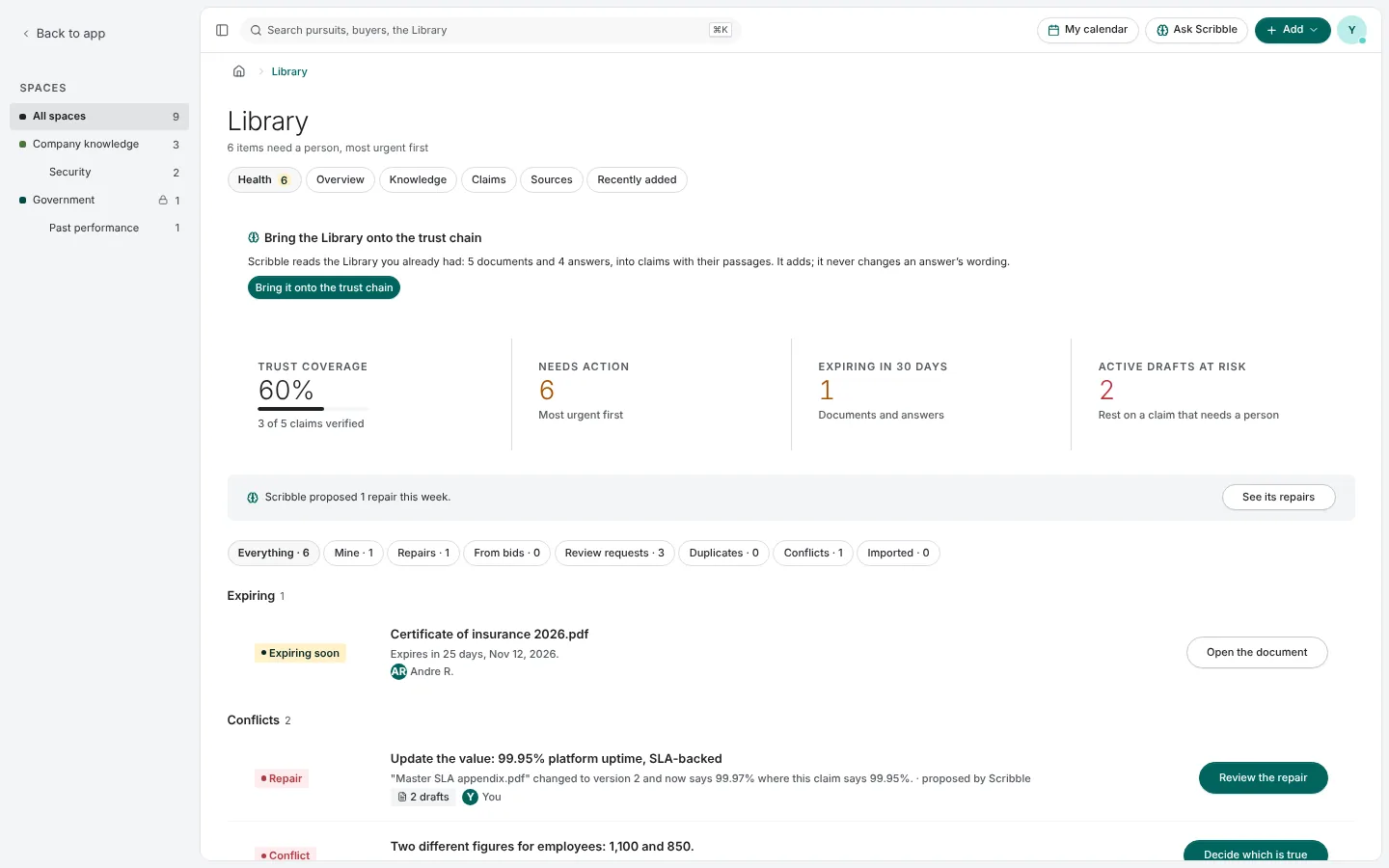
- Trust coverage: how many claims are verified against a document of record.
- Needs action: items waiting on a person.
- Expiring in 30 days: documents and answers about to go out of date.
- Active drafts at risk: live drafts resting on a claim that needs a person.
Press a figure to narrow the queue to it, and again to let go. The queue is grouped by risk: Blocking a submission, Expiring, Conflicts, Unsupported and Routine. Each row names the problem and its one action, such as Review the repair or Decide which is true. The chips above it filter by kind: yours, repairs, from bids, review requests, duplicates, conflicts and imported.
Overview
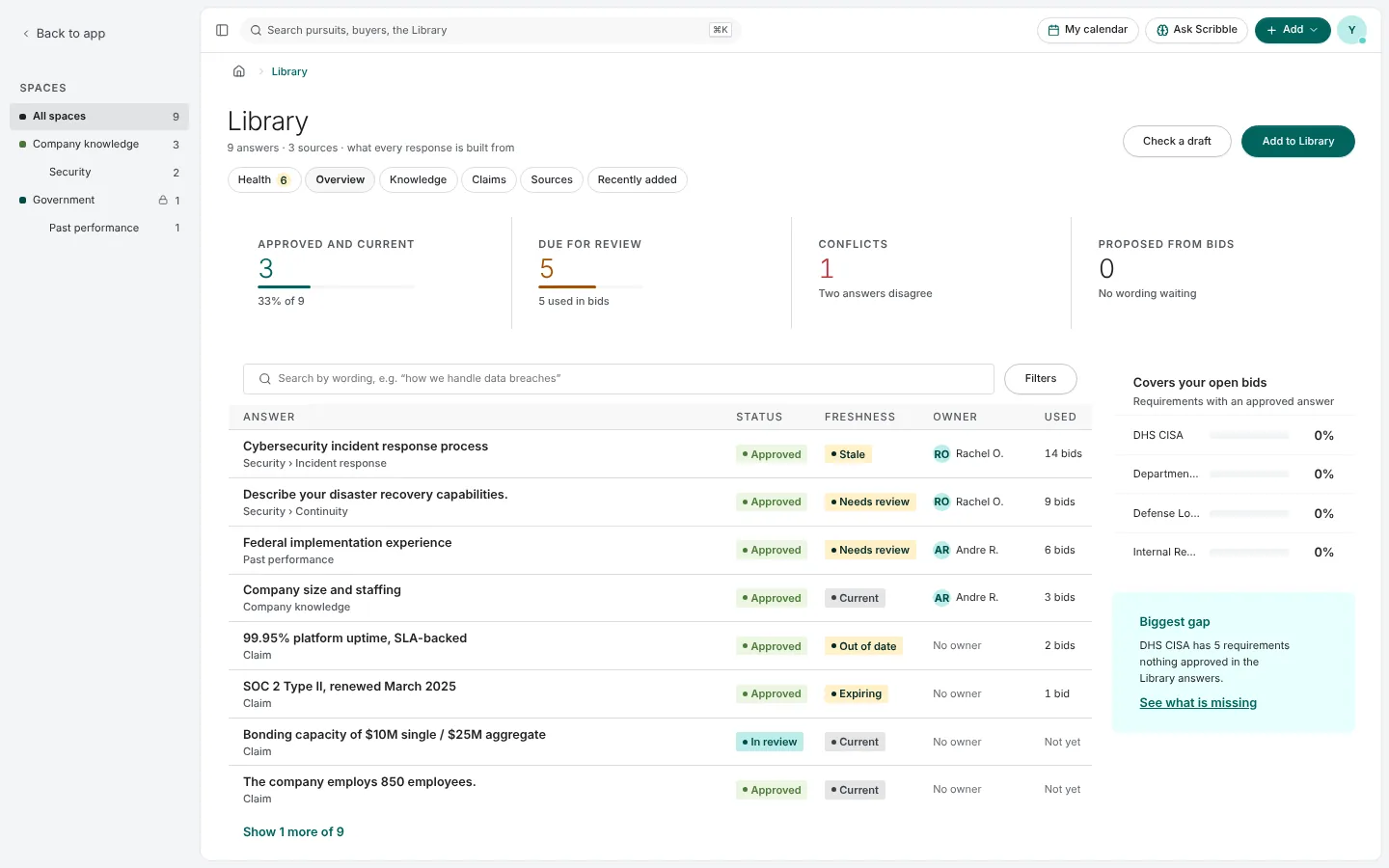
Overview counts answers that are approved and current, due for review, in conflict and proposed from bids. At the right, Covers your open bids shows, per pursuit, how many requirements have an approved answer, and points at the biggest gap.
Bringing an existing library in
If your Library was filled before claims existed, Bring the Library onto the trust chain has Scribble read your documents and answers and map them into claims with their passages. It adds; it never changes an answer's wording. It runs in your tab, and if you close it, it picks up where it stopped.
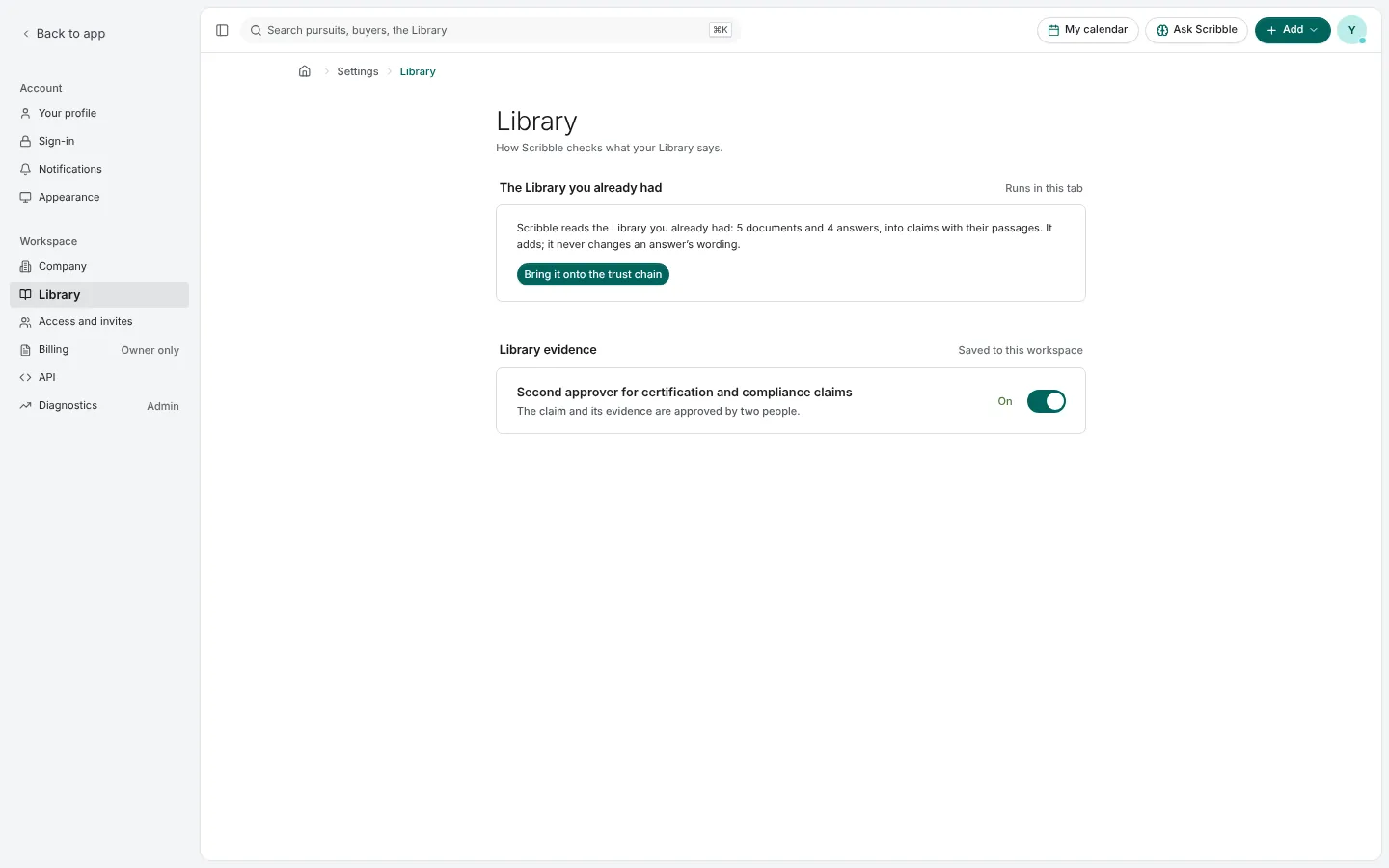
In Settings › Library, an administrator can also require a second approver for certification and compliance claims, so the claim and its evidence are approved by two different people.
Pictures are from Paavya's demo workspace, so names, bids and figures are illustrative. Something here does not match what you see? Tell us, or ask Scribble in the app.