My work
Everything waiting on you in one place: what to do next, what your team asked of you, your sections and your tasks.
My work is where you see everything that is waiting on you. It is the first place in the left rail, and the top bar's first door opens it from anywhere, with a count of what your team has asked of you.
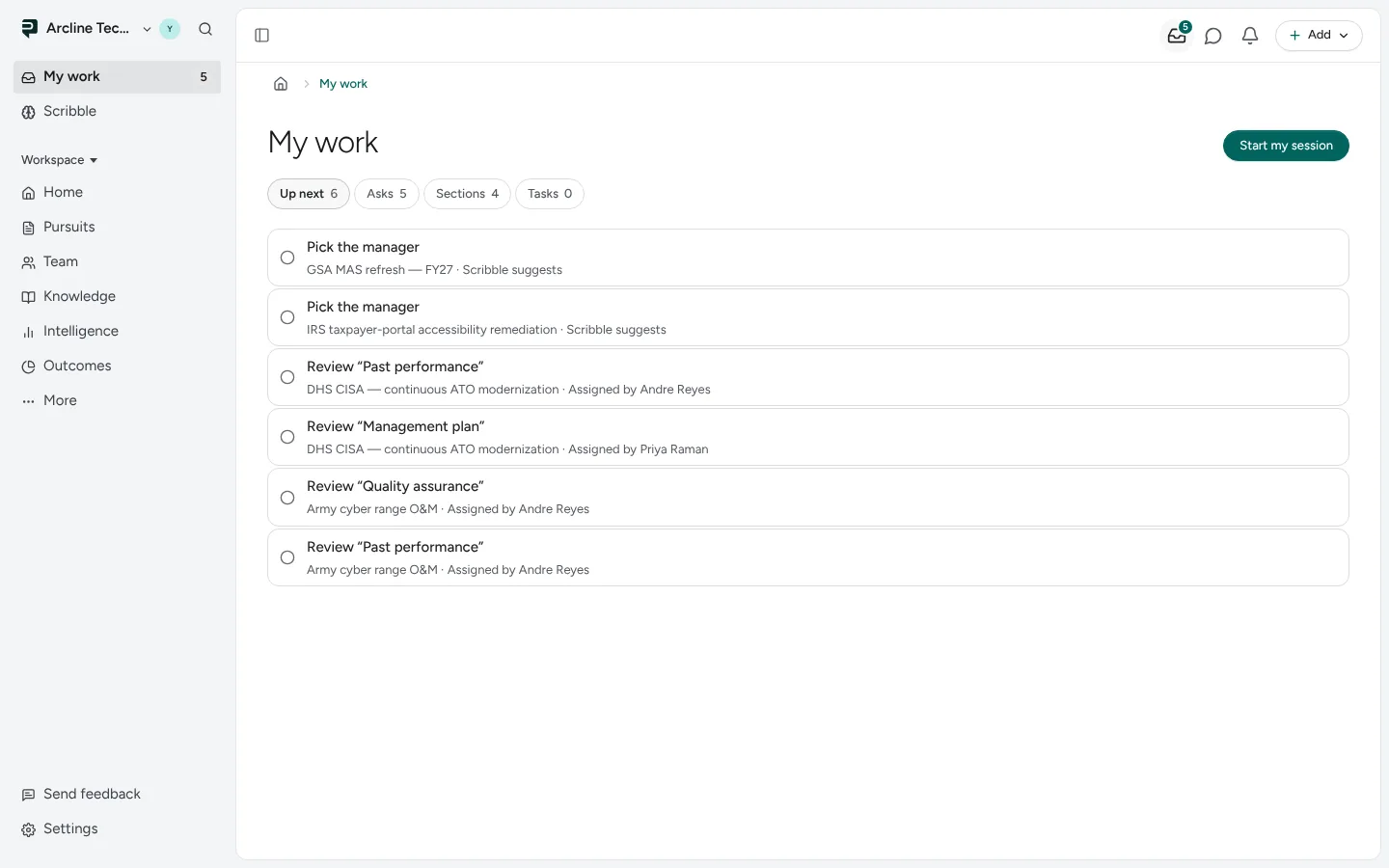
Four views
My work has four views. Each one shows how many things it holds.
| View | What it holds |
|---|---|
| Up next | The bids, sections, tasks and asks that need your move, in the order to take them. A bid that could be lost comes first and says so; an ask says who asked. |
| Asks | What a teammate asked of you: a read for the go/no-go, an approval, a review, a question only you can answer. |
| Sections | The sections you write or review, grouped by what each one needs from you. |
| Tasks | Your open tasks, with the one-line add. See all tasks opens Tasks for the tasks you handed out and everyone's. |
The view you pick stays in the address, so a link or a reload opens the same one. The arrow keys move between views.
Start my session
Start my session takes you through Up next one item at a time, in the same order. If a session is already running, the button says Go on with my session and takes you back where you were.
Asks
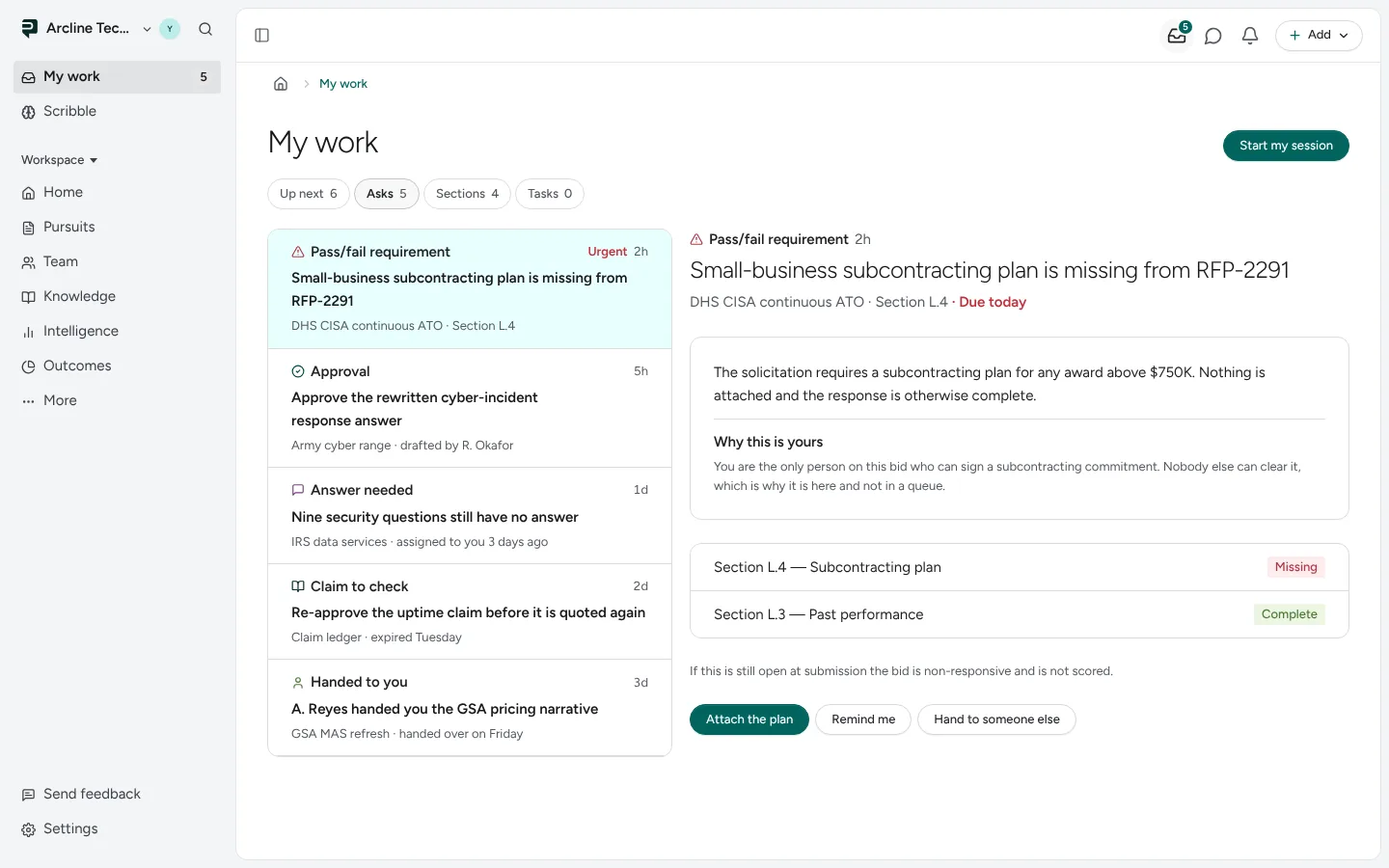
Each ask names its kind (Pass/fail requirement, Approval, Answer needed, Claim review, Handed to you), its pursuit and when it arrived. Open it to see what is asked, why it stops with you, and its actions, such as Attach the plan, Remind me or Hand to someone else.
If a view could not be read, it says so instead of showing an empty list, and Up next names which one.
Next: Tasks.
Pictures are from Paavya's demo workspace, so names, bids and figures are illustrative. Something here does not match what you see? Tell us, or ask Scribe in the app.