Drafting2 min read
Download your response as Word, formatted the way the solicitation asks
The drafting workspace's Package view exports the response as a Word file with the solicitation's font, margins and page size, ready for the last read before it goes out.
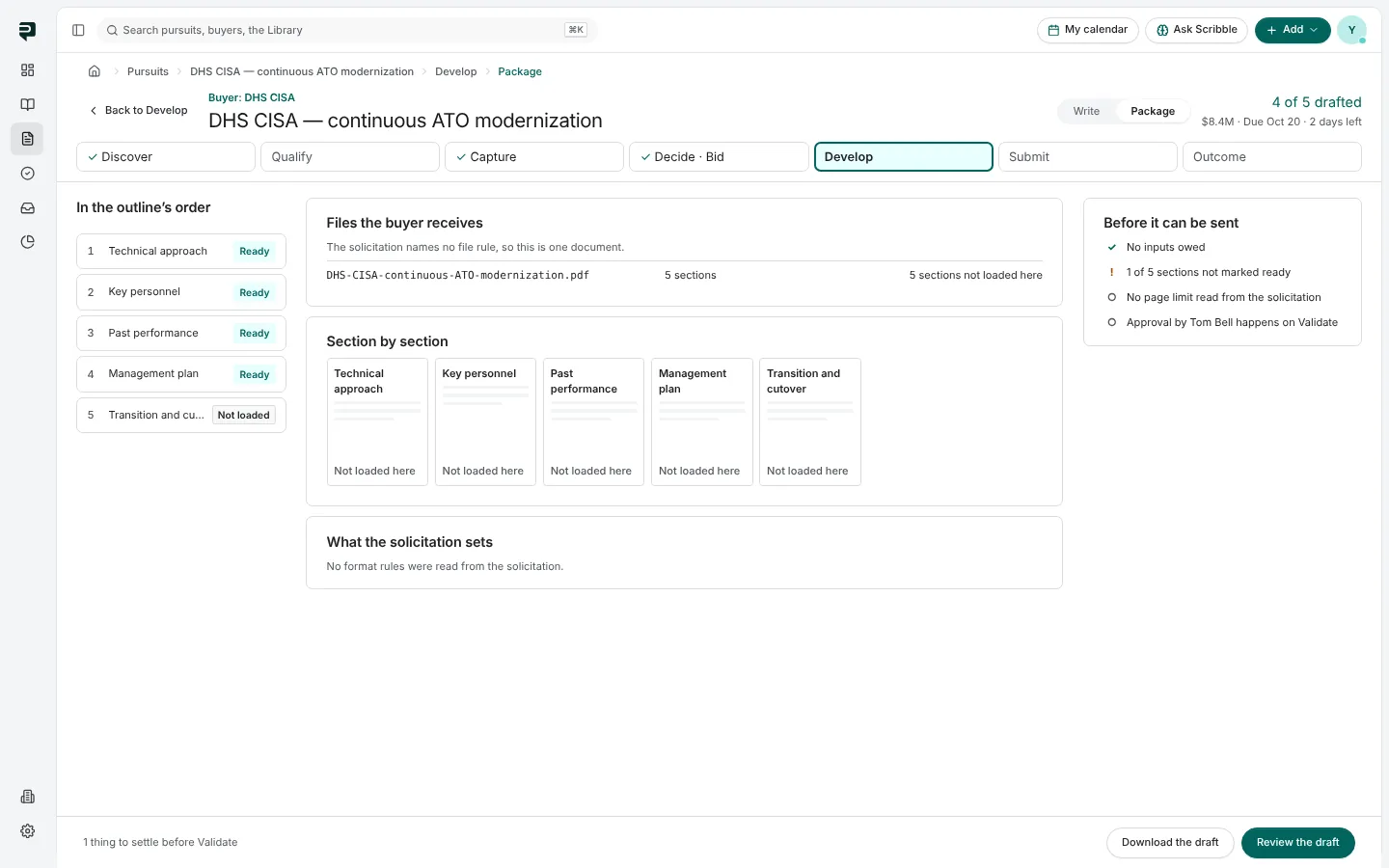
Package, in the drafting workspace, shows the response the way the buyer will receive it. It now has Download as Word.
What the file carries
The Word file follows the formatting the solicitation sets: its font and size, its margins and its page size, so the copy you read is laid out the way the buyer asked.
Before you download
Package still lists everything that stands before the response can be sent under Before it can be sent, such as sections not ready or the approval, alongside the files the buyer receives, named as the solicitation requires, and page use against any page budget. The download does not change any of that; it is a copy for reading, sharing and the last check.
Pictures are from Paavya's demo workspace, so names, bids and figures are illustrative.